
How to Join the WealthPlan Discord Community
This page will walk you through joining the official WealthPlan Discord step by step.
It’s written for everyone — whether you’re very tech-savvy or opening Discord for the first time.
Step 1: Create a Discord Account
Before you can join our community, you’ll need a Discord account.
1. Go to: http://discord.com/register
2. Enter your email, create a username, and set a password
3. Verify your email when Discord sends you a message
If you already have a Discord account, you can skip this step.
Create a Discord Account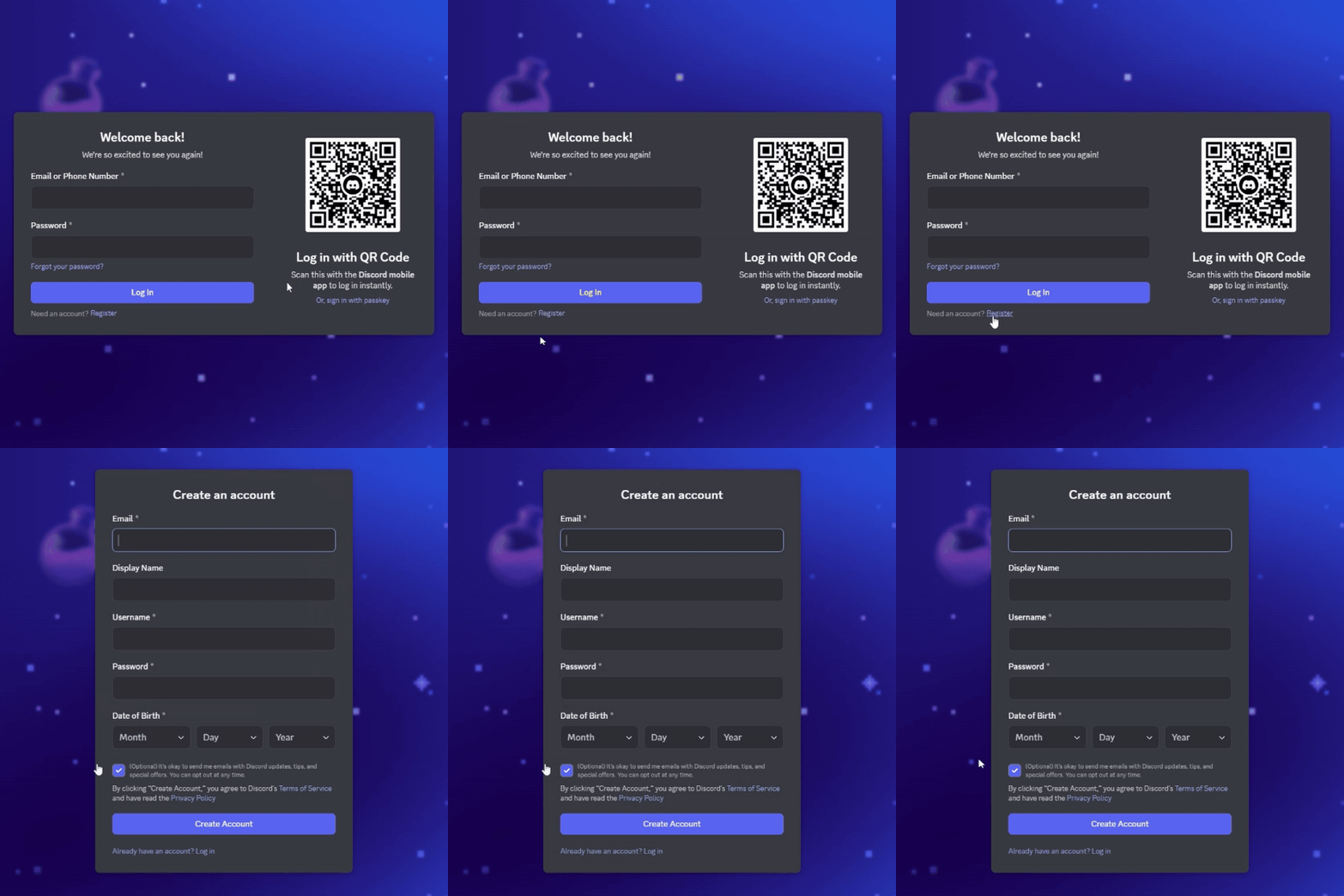

Step 2: Join the WealthPlan Discord Server
Once your Discord account is ready:
-
Click this link: https://wplan.co/discord
-
Discord will open and ask if you want to join the server
-
Click Accept Invite
You are now inside the WealthPlan Discord — but you won’t see everything yet. That’s normal.
Join the WealthPlan serverStep 3: Verify Your Membership
To protect the community, we verify every member.
1. Go to this link: https://forms.wealthplan.co/verify
2. Complete the short verification form
3. Submit the form
This step tells our system that you are an approved WealthPlan member and unlocks access to the full community.
Complete Attestation Form

Step 4: Agree to the Community Terms
Back inside Discord:
-
Click on the channel called Disclaimer
-
Read the message at the top of the channel
-
Click the green checkmark reaction
Once you do this, Discord will automatically give you access to the rest of the channels.
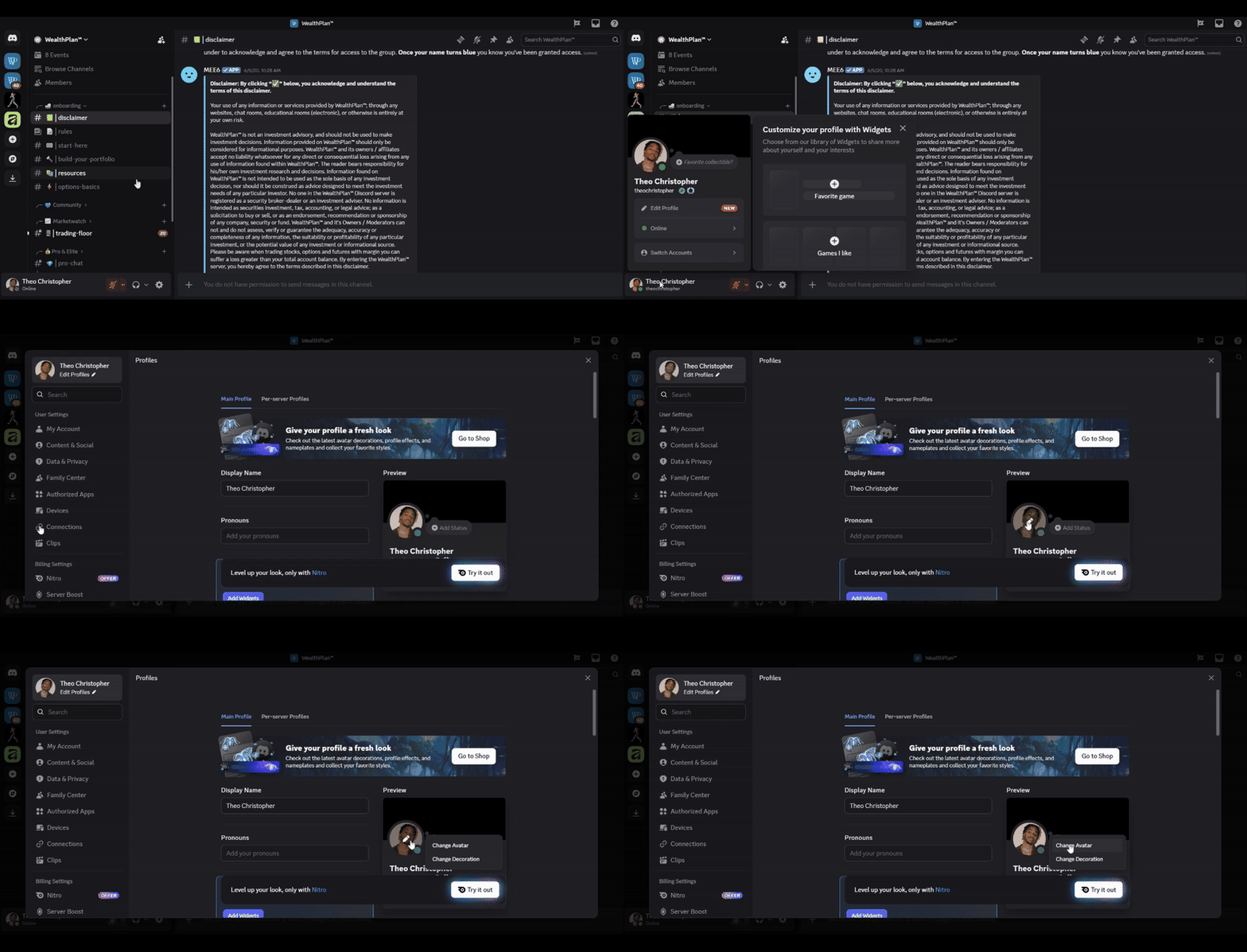
Step 5: Upload a Profile Picture
Adding a profile picture helps build trust and community.
1. Click on your name or avatar in Discord
2. Open User Settings
3. Upload a clear photo or brand image
This can be a photo of you, a logo, or a simple professional image.
Once these steps are complete, you’ll have full access to:
- Community discussions
- Wealth education channels
- Announcements and updates
- Live conversations and resources
There's no rush to participate immediately. You're encouraged to observe, read, and get comfortable.
Welcome to the WealthPlan community.
Ownership begins with access — and you now have it.
